
Modem now connects to Plain

 Mike Clarke
The Plain integration is now available for all Modem users. Connect it from Settings → Integrations → Plain.
Supporting customers used to mean managing a separate tool for every channel. With Plain's unified dashboard and API, companies can handle all their support channels in one place and build their own workflows on top.
With our new Plain integration, Modem adds these customer interactions to your growing customer context graph, connecting feedback across support and the rest of the software you use to run your business.
Plain threads become product context
Once Plain is connected, Modem subscribes to realtime updates, so customer emails, chat messages, and internal notes typically show up within a few minutes. We also carry over each thread's status, priority, labels, and assignee, then group the thread with information from the other tools you've connected to Modem, like Linear and GitHub.
Here's a topic built from two Plain threads about webhook deliveries being dropped by customer firewalls, plus the Linear ticket support filed for both.
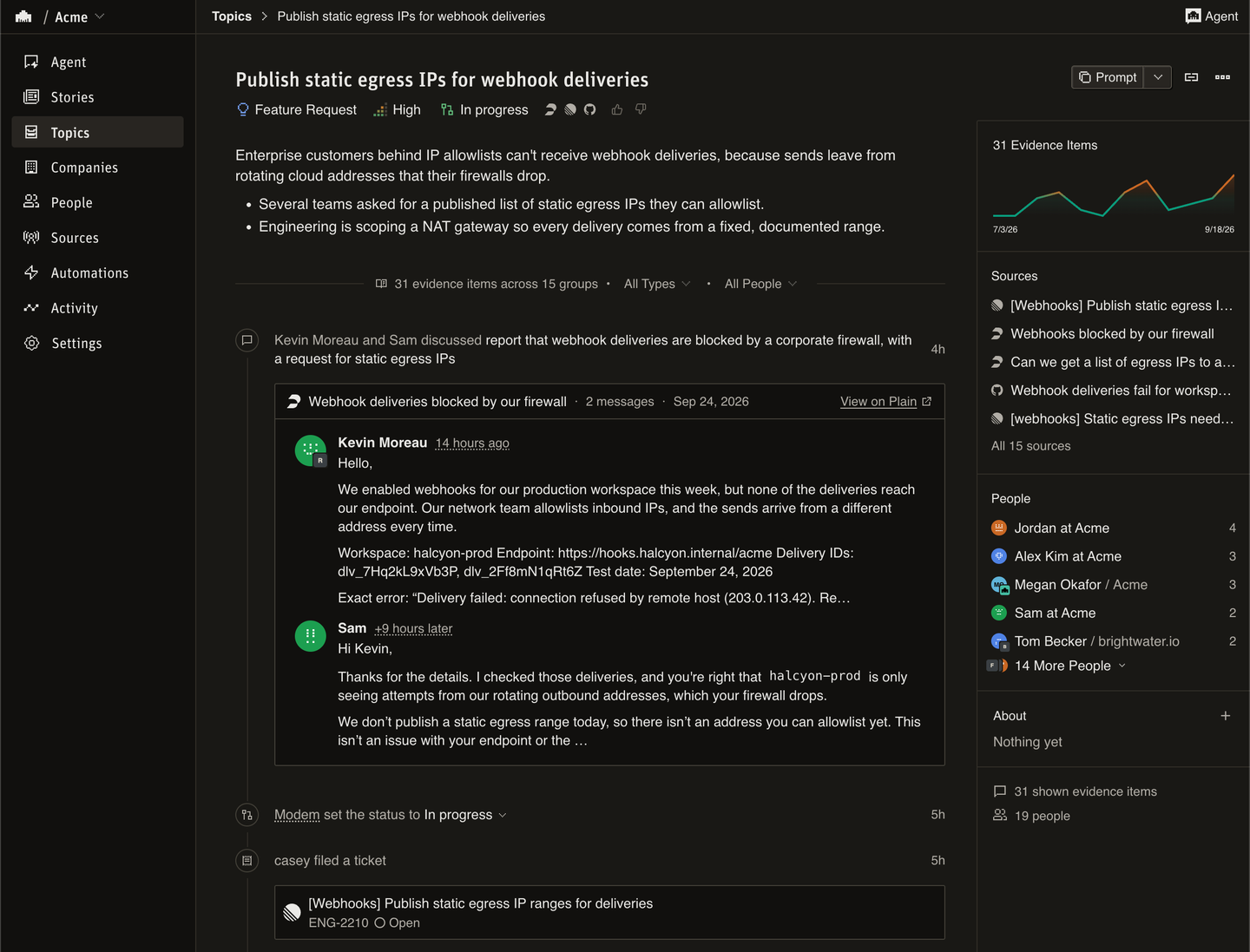
Quoted reply chains and signatures are stripped, so a topic reads like a conversation.
Ask about support, get the engineering answer
Modem grouped both Plain threads under the problem they describe, so one question covers every customer who reported it.
Which Plain customers reported blocked webhook deliveries, and what's the status of the linked Linear issues or GitHub PRs?
In the example above, the topic is In progress and Linear issue ENG-2210 is Open. Support can see that engineering is tracking the request, but it isn't ready to announce a fix.
Once you've confirmed the fix is available, ask the agent to update every thread in the topic, including ones support already marked done.
Add an internal note to those Plain threads linking the pull request that fixed the blocked webhook deliveries.
You can then ask it to send the customer-facing follow-up.
Reply to those Plain threads to let the customers know the fix is available.
The agent can also change a thread's status, priority, labels, or assignee. By default, writes ask for your approval before they run. The Plain API key's permissions decide which actions the agent can take. Leave the write permissions off the key to keep the agent read-only in Plain.
Setup
You'll need an owner or admin role in Modem and the ability to create machine users in Plain.
- In Plain, go to Settings → Machine users / API keys and create a key with read access to threads, messages, and customers, plus
user:read,webhookTarget:create,webhookTarget:delete, andworkspaceHmac:read. To use the examples above, also grantnote:createfor internal notes andthread:replyfor customer replies. See the full permissions table. - In Modem, go to Settings → Integrations → Plain, paste the key, and click Connect Plain.
Modem validates the key, registers its webhook, and starts capturing new activity. The optional backfill on the same page imports up to 500 threads created in the last 30 days.
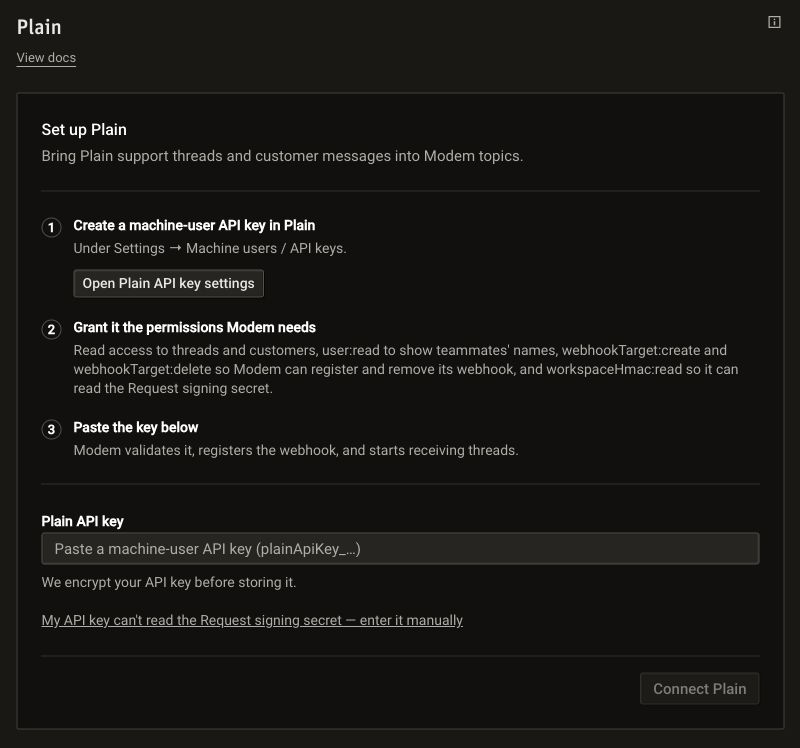
See the integration docs for troubleshooting.